[p]It's spring, and the string of beta updates is over - it's time for the real deal. The big one-dot-seven. It's been a long time coming, so let's get to it.
[/p]
New Crumb Buster Mode
[p][/p][p]A new way to play with your food. The field area will fill up with tasty desserts, so take 'em, and fling 'em into each other. Each time they bounce against a wall, it'll shave down a size and earn some points. If you let them sit too long, they'll get stale and impossible to move or break, so plan carefully or it'll overflow and it will be Game Over before you know it.[/p][p]There's 2 worlds and 10 total stages to sample in this initial batch. And just like the other modes, look out for all of the individual weirdness that comes with the environments in each stage. [/p][p]Unlock it by earning a grand total of 3 hearts in Challenge Mode.[/p][p][/p]
Modding API is Done
[p][/p][p]This one has been in the oven for quite a bit. We're pleased to announce that with 1.7.0, the Modding API has now exited beta! The expression engine got a huge overhaul under the hood, and with the new variables and events systems, every single aspect of every single scene can now be entirely customized.[/p][p]The mod loader also got a power boost too. You can also now toggle individual mods that change menus and graphics on/off in the Mods menu, re-order their activation, and install new ones under the Mod Settings.[/p][p][/p][p]In fact, how about a mod for the road?
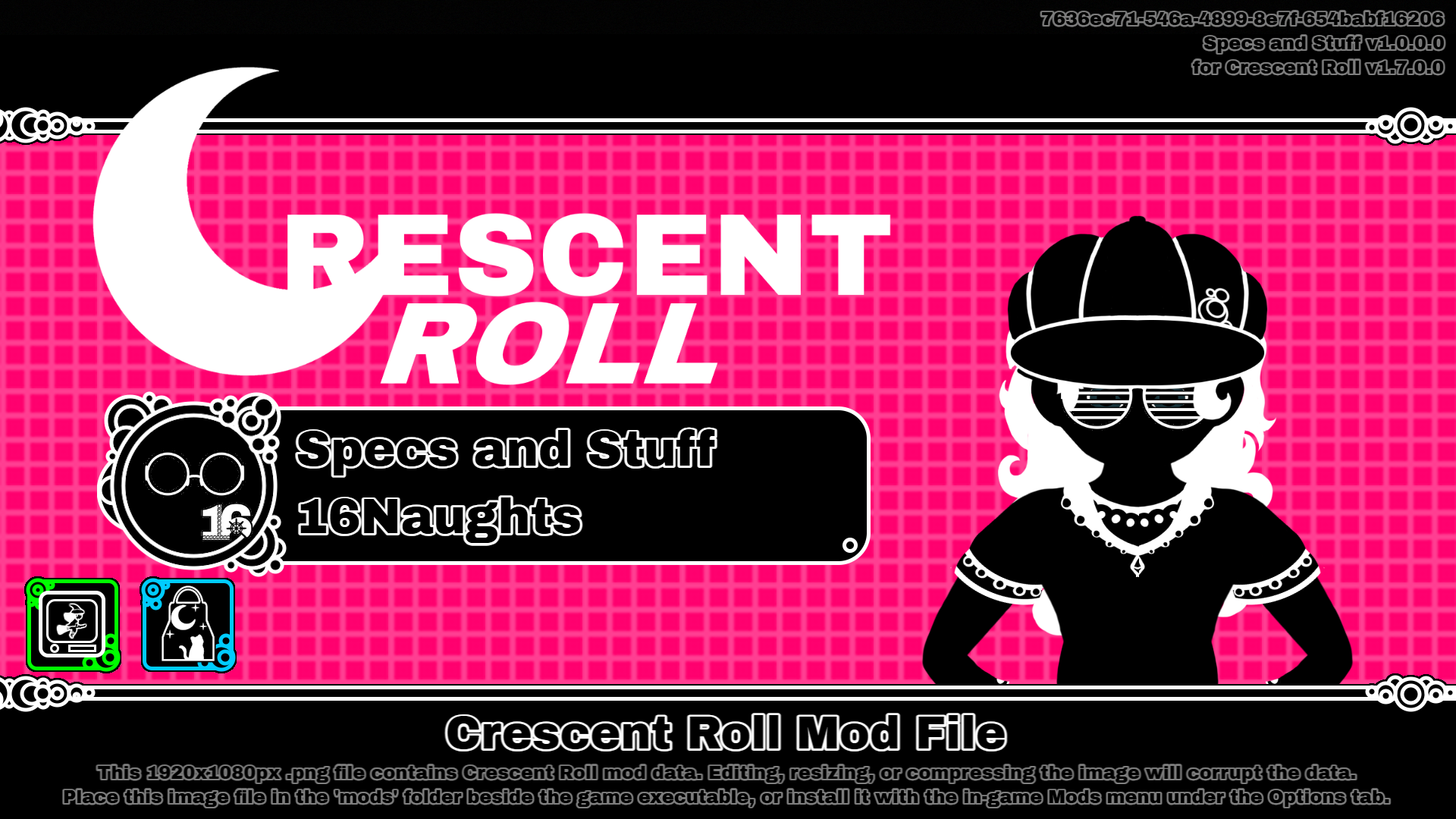
Here's a preview of "Specs and Stuff" from our (16Naught) website:[/p][p]
Crescent Roll Mod - Specs and Stuff[/p][p]That's right - that .png image file is itself, a mod. Cool, huh?[/p][p]To install it:[/p][*][p]Right-click on the image and click "Save-as"[/p]
[*][p]Open Crescent Roll, and navigate to Options => Mods => Settings => Install Mod[/p]
[*][p]Give it the .png file you saved, and then it should reload with 10 new pairs of shades to use[/p]
[p]
Steps 1 is super important to do right. It 100% has to be that original 1920x1080 image file - if you do a screenshot or edit it in Paint or something, it won't load.[/p][p][/p][p]Of course, if you're a dev, you can always package it as a ".crescentmod" too. But having a png file for your website is just way cooler.[/p][p][/p]
More Goodies for Mod Devs
[p][/p][p]Ever want to see what the kitchen looks like? Just press the tilde (~) key to bring up the Crescent Roll Console window. You can poke around with the graphics display, and do stuff like speed up or slow down the game. It's great if you're making new character animations or putting together a menu.[/p][p]Keep in mind though that if you do mess with the game speed during gameplay you won't earn anything or have it count as beating the level for that specific round. The variables there also don't control stuff like the lap time or your score - it's only the visual stuff for animations. But it's kinda funny trying to beat some of the levels at x8 speed, so we recommend trying it at least once.[/p][p][/p]
Other Stuff
- [p]Graphical and audio touch-ups in a lot of areas. Lots of new particles and sound effects[/p]
- [p]Mode Select menu was re-designed to accommodate the new Crumb Buster mode[/p]
- [p]Lots of new safety rails to protect when mods explode and/or randomly combust[/p]
- [p]Collision detection has been improved to allow for 'bubbles' in the stage geometry[/p]
[p]
Whew, that's a lot. But be on the lookout for 1.7.1 here in a week or two as we wrap up some of the other stuff that didn't quite fit into this batch.[/p][p]Shoot us an email if you find any bugs to squash, please. Or, if you have a custom creation, we'd love to see that as well. 'till next time.[/p]